Is Meta AI Safe
for My Child?
Already on your child’s Instagram and WhatsApp with almost no parental controls. Most parents do not know it exists. Meta was found liable for designing addictive products that harmed young people.
and Messenger users
You have probably noticed something
You do not need to check every box. One is enough to know this page is for you.
Here’s what makes this different from other AI platforms:
- Your child didn’t choose it — Meta AI appeared in apps they were already using
- It’s difficult to avoid — The AI icon appears prominently in search and messaging
- There’s no real opt-out — You cannot fully disable Meta AI on any Meta platform
- Conversations are used for advertising — As of December 2025, Meta uses AI chat data to personalise ads
Meta AI launched across Meta’s platforms in 2023-2024 and is now available to over 3 billion users globally, including the estimated 60% of UK teenagers who use Instagram.
Why Meta AI Is Different from ChatGPT and Character AI
If you've read my guides on ChatGPT safety or Character AI safety, you'll know each AI platform carries specific risks. Meta AI combines concerns from both—plus introduces entirely new ones.
How It Compares
| Factor | ChatGPT | Character AI | Meta AI |
|---|---|---|---|
| Child actively chooses to use | Yes | Yes | No |
| Can be fully removed | Yes | Yes | No |
| Designed for emotional engagement | No | Yes | Partially |
| Data used for advertising | No | No | Yes |
| Built into social apps | No | No | Yes |
| Parental controls available | Limited | Minimal | Almost none |
The Core Problem
With ChatGPT, you can decide not to let your child use it. With Character AI, you can delete the app. With Meta AI, the only way to fully remove it is to delete Instagram, WhatsApp, Messenger, and Facebook entirely—something few families are willing or able to do.
This means Meta AI bypasses the normal parental gatekeeping that applies to other AI tools.
Is Meta AI safe for kids? (2026)
No — not without parental involvement. In August 2025, Common Sense Media rated Meta AI's risk to children as “Unacceptable”, citing that its chatbots and AI companions are actively helping teens plan unsafe activities. The minimum age is 13 by Meta's terms, but Common Sense Media recommends no one under 18 use it given current safety gaps.
The 5 Specific Risks of Meta AI for Children
1 Exposure Without Consent or Awareness
Most parents I speak with have no idea Meta AI exists. Their children are interacting with an AI chatbot on platforms the family already uses, without any explicit decision to introduce AI into their lives.
Children often discover Meta AI by accident:
- Tapping the colourful icon in Instagram's search bar out of curiosity
- Seeing the AI suggested in WhatsApp chats
- Being pulled into conversations when someone tags @MetaAI in a group chat
By the time parents become aware, their child may have had dozens of AI conversations.
2 Data Collection and Advertising
This is where Meta AI differs most significantly from competitors. As of December 2025, Meta uses your child's AI conversations to personalise advertisements.
When your child asks Meta AI about weekend plans, friendship problems, interests and hobbies, or personal struggles—that information becomes data for advertisers.
Unlike ChatGPT, which can be configured not to store conversations, Meta offers no equivalent opt-out for most users.
For UK residents: Under GDPR, you have the right to object to this processing. I'll explain how to exercise this right below.
3 Inappropriate Content and Responses
In August 2025, a Reuters investigation revealed that Meta's internal policies had permitted chatbots to "engage a child in conversations that are romantic or sensual." An investigator found a chatbot having romantic conversations with someone identifying as eight years old.
Meta removed these policies after the story broke, but the incident reveals serious gaps in safety design. Common Sense Media subsequently released a comprehensive assessment recommending Meta AI not be used by anyone under 18.
4 Normalising AI in Social Contexts
Character AI creates obvious "companion" relationships. Meta AI is more insidious—it normalises AI as part of everyday social platforms.
Children may:
- Begin treating AI responses as equivalent to human advice
- Share personal information casually, not recognising the AI context
- Develop habits of consulting AI that carry into other platforms
- Struggle to distinguish AI assistance from organic search results
5 Privacy Concerns Beyond the Child
Meta AI in group chats presents unique risks. When someone tags @MetaAI in a WhatsApp group, the AI can see and respond to the conversation context. This means:
- Your child's messages in group chats may be processed by AI even if they never directly used it
- Family photos and conversations shared in groups could be analysed
- There's no way to opt out at an individual level
Related reading: My Child Is Addicted to AI — Should I Be Worried?
What You Can Actually Do About Meta AI
I'll be honest: your options are limited. Meta has designed these systems to be difficult to escape. But here's what's actually possible:
Option 1: Delete Meta Apps Entirely
This is the nuclear option and the only way to completely eliminate Meta AI exposure. For children under 13, this is my recommendation. For older teens, weigh the social costs carefully.
Option 2: Minimise Interaction
You cannot disable Meta AI, but you can reduce how often your child bumps into it. This involves a combination of muting, routing around the AI entry points, and framing the group-chat risk so your child understands what they are exposing by tagging or being tagged. The settings move often; the principles do not.
Option 3: Exercise Your GDPR Rights (UK)
Under GDPR you can object to Meta using your child’s data to train AI or target adverts. Meta often pushes back citing “legitimate interests” — it is a live legal grey area that regulators are still working through. The process is not obvious and Meta moves the menu paths frequently, so a one-off article is quickly out of date.
Update (January 2026): Meta paused teen access to AI characters across its apps entirely, stating it is building an age-appropriate version with built-in parental controls. No confirmed date for the new version. When it launches, controls are expected to include the ability to disable AI chats, block specific AI characters, and see broad topic categories — though not full conversation content. Until then, teen access to AI characters remains blocked, but Meta AI itself (the general assistant in search bars and chats) is still active.
Your options with Meta AI are limited — but the 11 manipulation patterns in the AI-Proof Parent Guide apply across every AI your child meets. See what’s inside →
Age-Appropriate Guidelines for Meta AI
Under 13
Meta’s own terms set the floor at 13. If your child is below that and has Instagram, WhatsApp, or Messenger, they have automatic access to Meta AI with no way to disable it. The under-13 question isn’t really about AI — it’s about whether the platform belongs on the device at all.
Ages 13–15
Most teens in this bracket use at least one Meta platform, so complete removal usually isn’t realistic. The real risk at this age is that the AI feels like a friend in a chat thread — the seamless integration blurs the line between talking to a person and talking to a product trained on the conversation. Children this age often can’t tell the difference, and the rules for how to handle it need to reflect that.
Ages 16+
Older teens can hold the privacy reality in mind — everything shared with Meta AI is stored and used for advertising, and suggestions are engineered to keep them on the platform, not to give them the best answer. What you’re watching for at this age is habitual use: Meta AI becoming the default first port of call, or being treated as a trustworthy source without verification.
The UK Regulatory Picture
The UK's Online Safety Act places duties on platforms to protect children, but enforcement on AI features is still catching up.
- Ofcom AI gap (February 2026): Ofcom acknowledged the Online Safety Act has limitations regarding AI chatbots. Meta AI's integration within existing social platforms creates a grey area — the platforms are regulated, but the AI features within them may not be fully covered.
- Ofcom age enforcement (March 11, 2026): Ofcom told tech firms to enforce age verification properly, citing research showing 72% of children aged 8-12 access platforms with 13+ policies. This applies directly to Instagram, WhatsApp, and Messenger — the apps that contain Meta AI.
- ICO open letter (March 11, 2026): The ICO issued an open letter demanding tech firms strengthen age checks and protect children's data. Given Meta AI uses chat data for advertising, this is directly relevant to families with children on Meta platforms.
- Government consultation (March 2, 2026): The UK Government launched "Growing Up in the Online World" to close gaps in current legislation — including AI-specific risks that the Online Safety Act does not fully address.
For now, regulation is playing catch-up with Meta AI. The practical reality: parents must act before regulators do.
More from the AI Safety Series
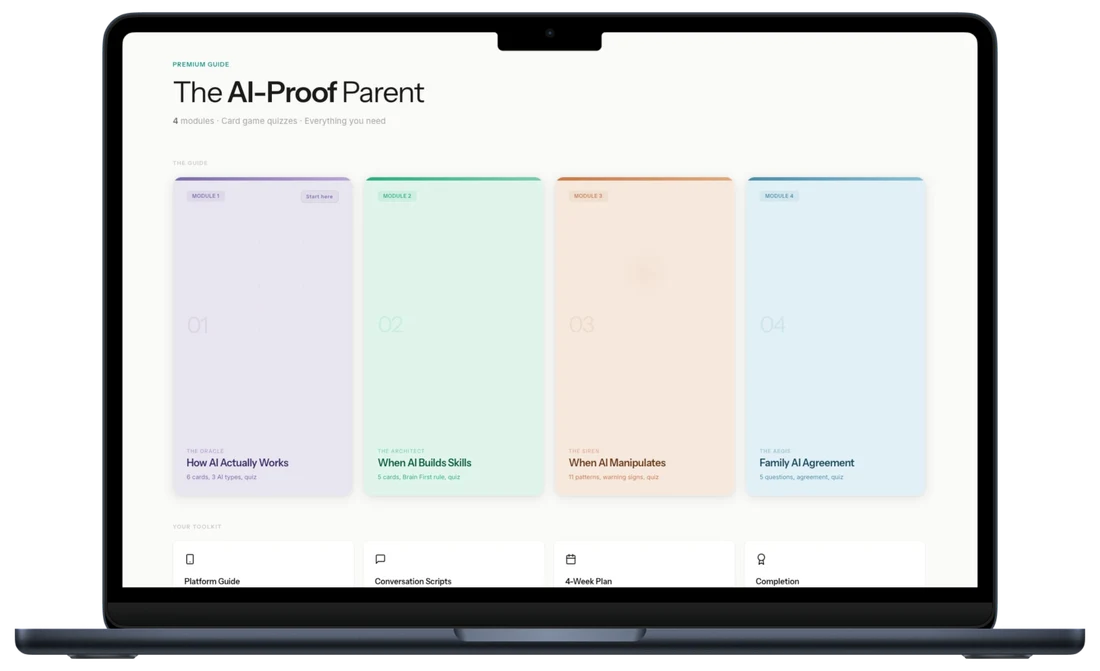
Most children are already using ChatGPT, Character AI, or Meta AI. This guide gives you the framework to understand, set boundaries, and have the conversations that matter.
Want personalised help instead?
The guide gives you the system. A session gives you a plan built around your child, your family, and your specific situation. One call. 45 minutes. Everything changes.
Your Questions Answered