Is ChatGPT Safe
for My Child?
Safer than Character AI, but carries real risks around homework cheating, misinformation, and critical thinking erosion. Most children are using it. Most parents have no idea what they are asking it.
worldwide
You have probably noticed something
You do not need to check every box. One is enough to know this page is for you.
Is ChatGPT safe for kids? (2026)
ChatGPT isn't built for children. OpenAI's terms require users to be 13 or older, with parent permission under 18 — but the bigger risk for parents isn't age. It's that children use ChatGPT for homework shortcuts, reassurance-seeking, and (increasingly) as an always-available adult to talk to when no one else is around. Unlike Character AI it isn't designed for emotional companionship, which makes it safer in one direction and riskier in another.
How ChatGPT compares to Character AI: Character AI is built to create emotional dependency. ChatGPT is built for utility. This makes ChatGPT safer in some ways but introduces different risks that require different parenting strategies.
The 5 Key Risks of ChatGPT for Children
1 Homework Cheating and Academic Dishonesty
This is the most immediate concern for most parents. ChatGPT can:
Many children don't see this as cheating—they view it as using a tool. But submitting AI-generated work as their own is academic dishonesty, and schools are increasingly detecting and penalising it.
The deeper problem: Even when children aren't submitting AI work directly, relying on ChatGPT for answers prevents them from developing critical thinking, research skills, and the ability to struggle through difficult problems—skills essential for academic and professional success.
2 Hallucinations and False Information
ChatGPT regularly generates completely false information presented with absolute confidence. Examples include:
- Invented historical events with specific dates
- Non-existent scientific studies with fake authors
- Made-up legal cases cited as precedent
- Fictional books, films, and quotes attributed to real people
Children (and many adults) trust authoritative-sounding text. When ChatGPT presents false information confidently, children absorb it as fact. This is particularly dangerous for homework research, where incorrect information gets embedded in their knowledge.
3 Erosion of Critical Thinking Skills
When answers are instant and effortless, children stop developing the cognitive muscles that struggling builds:
Children who regularly use ChatGPT for schoolwork often report finding “normal” thinking more difficult. The instant gratification of AI answers makes slower, effortful thinking feel unbearable.
4 Data Privacy and Security
Every conversation with ChatGPT is collected by OpenAI. Unless you specifically opt out:
- Chat history is stored on OpenAI's servers
- Conversations may be reviewed by OpenAI staff
- Data may be used to train future AI models
- Information your child shares becomes part of their system
Children often don't understand that their conversations aren't private. They may share personal details, family information, or sensitive topics without realising this data is retained.
5 Exposure to Inappropriate Content
While ChatGPT has content filters, they're not perfect. The AI can sometimes:
- Provide detailed information on dangerous topics
- Generate mature content through creative prompting
- Discuss violence, self-harm, or other sensitive subjects
- Be manipulated by determined users
OpenAI has improved these filters significantly, but no AI content moderation is completely reliable. Unsupervised children may access content you wouldn't want them to see.
The good news: Unlike emotionally manipulative AI platforms, ChatGPT's risks are manageable with the right approach. Keep reading for practical parental controls, age-appropriate guidelines, and a step-by-step action plan.
Related reading:
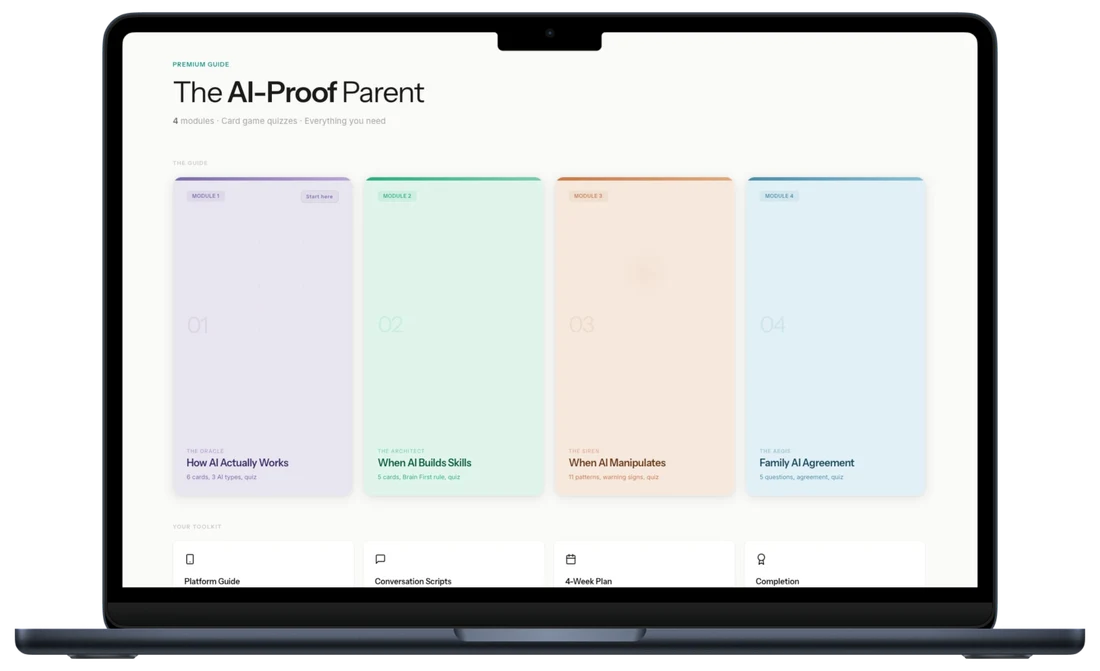
Most children are already using ChatGPT, Character AI, or Meta AI. This guide gives you the framework to understand, set boundaries, and have the conversations that matter.
What Parental Controls Does ChatGPT Offer?
OpenAI has implemented more safety features than many AI platforms, though gaps remain.
Available Controls
- Age verification — Users must confirm they're 13+ (minimal verification)
- Content filters — Refuse to generate explicit, violent, or harmful content
- Chat history toggle — Option to disable conversation saving
- Memory controls — Ability to prevent the AI from remembering information across sessions
- Custom instructions — Set parameters for how ChatGPT responds
What's Still Missing
- No parental dashboard — Parents can't monitor usage remotely
- No family accounts — No way to link child and parent accounts
- No time limits — No built-in screen time controls
- No topic restrictions — Can't block specific subjects
- Limited conversation visibility — You need device access to see what was discussed
My recommendation: If you allow your child to use ChatGPT, ensure they use a family-shared account where you can periodically review conversations, or supervise usage directly.
Age-Appropriate Guidelines
Under 13: Supervised Educational Use Only
Children under 13 should not have independent access to ChatGPT. However, supervised use as a learning tool can be valuable:
Appropriate uses:
- Exploring topics together as a family
- Getting explanations of difficult concepts with a parent present
- Demonstrating how AI works
- Learning to evaluate AI responses critically
Rules: Parent must be present during all use. Never used for homework completion. Child doesn't have their own account. Conversations are reviewed and discussed.
Ages 13-15: Limited and Monitored
This is the age when children begin using AI for schoolwork, often without parental knowledge. Set clear boundaries:
Framework:
- Use shared family device or account for visibility
- ChatGPT is a research starting point, not an answer provider
- All AI-assisted work must be disclosed to teachers
- Regular conversations about what they're using it for
What to monitor: Time spent on the platform, nature of questions being asked, whether homework is being completed independently, signs of over-reliance on AI assistance.
Ages 16+: Educated, Independent Use
Older teens can benefit from AI tools when they understand both the capabilities and limitations:
Preparation:
- Explicit conversation about academic integrity
- Training on evaluating AI outputs for accuracy
- Understanding of data privacy implications
- Agreement on transparent use with school
Ongoing: Periodic check-ins about how they're using AI. Awareness of school AI policies. Encouragement to develop skills alongside AI, not instead of it.
Your Step-by-Step Action Plan
Step 1: Find Out What They're Already Using
Before setting rules, understand current usage:
- Check browser history for chat.openai.com
- Look for ChatGPT app on their devices
- Check app store download history
- Ask directly: "Have you used ChatGPT for school?"
Many children don't realise parents might object, so an open conversation often reveals more than surveillance.
Step 2: Review School AI Policies
Most UK schools now have AI policies. Find out:
- Is AI assistance permitted for homework?
- What disclosure is required?
- What are the consequences for AI-generated submissions?
- Does the school use AI detection tools?
Align your home rules with school expectations to avoid putting your child in a difficult position.
Step 3: Establish Clear Rules
This is where most families get stuck. Effective rules cover four areas — when ChatGPT can be used, how it can be used, what must be disclosed to teachers, and how the account itself is set up. Vague rules (“just don't cheat”) collapse the first time a real assignment lands. Specific rules hold.
Your school's AI policy is the easiest starting anchor. Align your home rules to it so your child is not stuck between two different sets of expectations.
Step 4: Teach Critical Evaluation
The most valuable thing you can give your child is not a rule list — it is the ability to assess AI output for themselves. Children who take AI at face value will absorb confident-sounding errors for the next twenty years. Children who learn to verify, question, and compare will not.
This is a skill, not a speech. It is learned by doing it alongside them.
For age-specific action plans and word-for-word conversation scripts, see the full guide.
Step 5: Enable Privacy Protections
If allowing use, set up the account safely:
- Log into ChatGPT Settings
- Under "Data Controls," disable "Chat History & Training" if you don't want conversations stored
- Clear existing history if needed
- Consider using a parent-controlled email for the account
Step 6: Schedule Regular Check-Ins
AI capabilities and school policies change rapidly. Schedule:
- Weekly: Quick conversation about any AI use that week
- Monthly: Review of how they're using it, any challenges
- Each term: Reassess rules based on their development and changing capabilities
Step 7: Model Good Use
Children learn from watching you. If you use ChatGPT:
- Show them how you verify information
- Demonstrate appropriate use cases
- Be transparent about its limitations
- Model healthy scepticism
The UK Context: Schools and Regulation
School Responses
UK schools are taking varied approaches to AI:
- Some ban it entirely — No AI assistance permitted on any work
- Others require disclosure — AI use must be declared
- Progressive schools — Teaching AI literacy alongside restrictions
- Most are still adapting — Policies are evolving rapidly
Check with your child's school directly, as approaches vary significantly even within the same trust or local authority.
Online Safety Act Implications
The UK's Online Safety Act, which came into full effect in 2025, has implications for AI platforms:
- Platforms must take steps to protect children from harmful content
- Age verification requirements are being strengthened across the internet
- Ofcom can require changes to how AI services operate in the UK
However, AI tools like ChatGPT present unique regulatory challenges, and enforcement is still developing. Don't rely on regulation alone to protect your child.
GCSE and A-Level Considerations
Exam boards are updating policies on AI:
- Coursework completed with undisclosed AI assistance may be flagged as malpractice
- AI detection tools are improving, though not perfect
- Universities are increasingly aware of AI-assisted applications
Help your child understand that AI shortcuts now may cause problems later when their work is scrutinised more closely.
More from the AI Safety Series
Want personalised help instead?
The guide gives you the system. A session gives you a plan built around your child, your family, and your specific situation. One call. 45 minutes. Everything changes.
Your Questions Answered