Is Blox Fruits Safe?
What Parents Must Know
Blox Fruits is Roblox's most popular game with over 40 billion visits. Your child is probably playing it. Here is what you need to understand.
Blox Fruits on Roblox
You have probably been through this
You do not need to check every box. One is enough to know this page is for you.
What Is Blox Fruits? (And Why 40 Billion Visits)
Blox Fruits is a combat-adventure game on Roblox with over 40 billion visits, making it one of the most played games on the platform. Players collect powerful 'fruits' inspired by anime, battle enemies, trade items, and compete with other players. The game is free to play but heavily monetised through Roblox's virtual currency, Robux, and has an active chat system where children interact with strangers.
Blox Fruits draws from popular anime like One Piece — the 'fruits' give players special abilities. Children grind for hours to level up, collect rare fruits, and trade with other players. The combination of collection, combat, and social trading creates a gameplay loop that's exceptionally difficult to step away from.
What makes it different from many Roblox games is the depth. This isn't a simple building game — it has complex progression systems, a trading economy with real perceived value, and PvP combat that creates intense emotional investment. Your child isn't 'just playing Roblox.' They're running what amounts to a virtual commodities trading desk — and somehow doing it with more focus than they've ever given homework.
Is Blox Fruits Safe for Kids?
Blox Fruits is not inherently unsafe, but carries significant risks that most parents don't see. The main concerns are unmoderated chat with strangers, a trading economy rife with scams, aggressive in-game purchase prompts, and addictive progression systems optimised for maximum engagement. With Roblox's parental controls properly configured and active parental involvement, the risks can be managed — but this game requires more oversight than most parents expect.
What Most Parents Miss
- Chat is open to strangers by default — not friends-only
- Trading scams are the #1 issue reported by parents
- Game Passes create ongoing spending pressure
- The grind incentivises playing for hours without breaks
Here's what gives me hope: Roblox actually has decent parental controls — the problem is most parents don't know they exist, or set them up too late. Every family I've worked with who configured these controls properly and had honest conversations about trading saw immediate improvement.
Why Can't My Child Stop Playing Blox Fruits?
Blox Fruits uses layered progression systems that create constant 'just one more' motivation. Players grind for experience points, collect increasingly rare fruits, trade for status items, and compete in PvP rankings. Each system feeds the others — a new fruit means new combat abilities means better PvP rank means higher trading value. Your child isn't weak; they're responding to systems optimised for keeping them playing as long as possible.
The trading economy adds a social dimension that makes stopping even harder. Your child's rare fruit isn't just an item — it's social currency. Walking away from the game means walking away from a social network where their status is defined by what they own. For children who struggle socially elsewhere, this virtual status can feel irreplaceable.
The daily login rewards and limited-time events create urgency. Miss a day? You fall behind. Miss an event? That rare fruit is gone forever. This is the same psychological mechanism that keeps adults checking their phones — optimised for children who have less capacity to resist it. The gaming industry calls this 'free to play.' Your bank statement might suggest a different name.
How to Set Up Roblox Parental Controls for Blox Fruits
To protect your child in Blox Fruits: Set up a Roblox parent account and link it to your child's account, enable Account Restrictions or set chat to 'Friends Only', configure spending limits or disable purchases entirely, turn on monthly spending notifications, and set session time limits through Roblox's built-in controls. These steps take about 10 minutes and dramatically reduce the main risks.
Set Up a Roblox Parent Account
Go to Roblox.com → Account Settings → Parental Controls. Create a parent PIN. This gives you control over your child's privacy, chat, and spending settings.
Restrict Chat Settings
Set chat to 'Friends Only' or 'No One' for younger children. This prevents strangers from messaging your child. The default setting allows anyone to chat — change this immediately.
Configure Spending Limits
Set a monthly Robux spending limit or disable in-experience purchases entirely. Go to Parental Controls → Spending Restrictions. You'll receive email notifications when limits are approached.
Set Session Time Limits
Enable Roblox's built-in screen time limits under Parental Controls → Screen Time. Start with 60 minutes on school days, 90 minutes on weekends. The game will lock when time expires.
Review Trading Settings
For younger children, disable trading entirely in Privacy settings. For older children, review their trade history regularly. Discuss what constitutes a fair trade and what a scam looks like.
These settings are necessary. But in my experience, they're not sufficient. The families who struggle aren't the ones with wrong settings — they're the ones who stopped at settings.
— Daniel Towle, Digital Family CoachWhat Age Is Appropriate for Blox Fruits?
Blox Fruits is on Roblox which requires age 13+, though younger children frequently play. Children under 10 should avoid Blox Fruits entirely due to open chat, trading scams, and spending pressure. Ages 10-12 can play with strict parental controls and daily check-ins. Ages 13+ can play with weekly oversight and open communication about trading and spending.
- Use Roblox in restricted mode only
- Avoid games with open trading
- No in-game purchases
- Supervised play sessions only
- Consider age-appropriate alternatives
- Chat set to Friends Only
- Daily check-ins on trading activity
- Monthly Robux budget with limits
- 60 minutes on school days
- Discuss scam awareness regularly
- Weekly check-ins if needed
- Discuss fair trading practices
- Spending awareness conversations
- Encourage breaks and varied activities
- Trust but verify approach
Warning Signs Your Child Is Struggling with Blox Fruits
These warning signs aren't unique to Blox Fruits. I see the same patterns across gaming platforms. If you're seeing these signs, the specific game isn't really the problem — it's what's happening underneath.
- Stealing money or payment details for Robux
- Lying about how long they've been playing
- Aggressive or violent outbursts when gaming is interrupted
- Skipping meals, homework, or sleep to play
- Contact from unknown adults via chat
- Constantly asking for Robux despite having a budget
- Mood crashes after playing or when unable to play
- Declining interest in activities they used to enjoy
- Becoming secretive about who they're trading with
- Trading away items then becoming distressed
- Playing longer than agreed limits
- Difficulty transitioning from game to other activities
- Peer pressure around rare items or fruits
- FOMO about limited-time events
- Comparing their account to friends' accounts
More from the Gaming Series
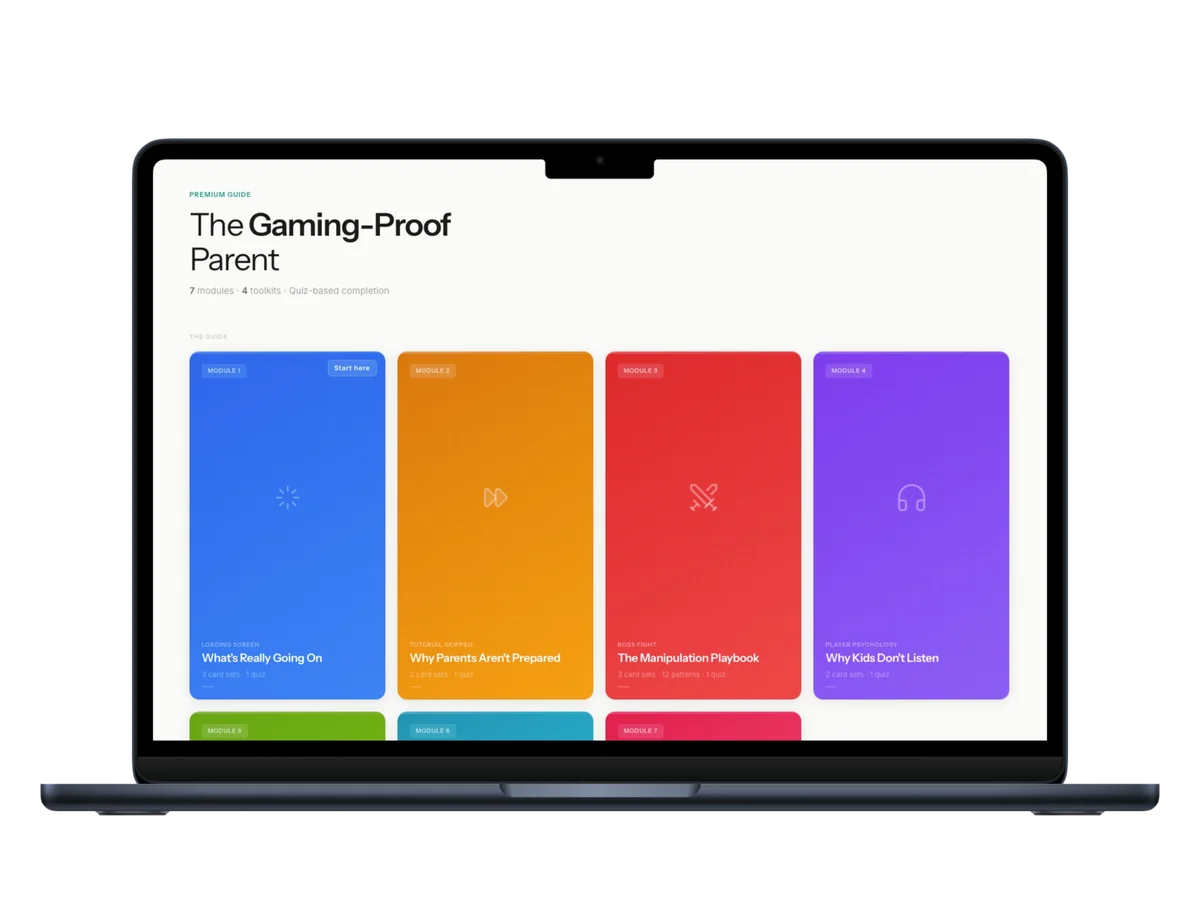
Roblox games like Blox Fruits are engineered to make stopping feel impossible — trading pressure, rare-drop dopamine, Robux prompts, chat with strangers. This guide breaks down exactly how games use these mechanics on your child, and gives you the conversations, the boundaries, and the 4-week plan to change it.
Want personalised help instead?
The guide gives you the system. A session gives you a plan built around your child, your family, and your specific situation. One call. 45 minutes. Everything changes.